
Frontend Code Generation
The GoWind Toolkit frontend code generator uses OpenAPI metadata to fully automatically generate complete admin dashboard page code, supporting three mainstream templates: Vue3 (Element Plus / Vben Admin) and React (Ant Design Pro).
How It Works
Unlike typical frontend code generators, GoWind Toolkit does not support manually fine-tuning fields or page features — all page structure is derived automatically from OpenAPI metadata:
Core idea: the backend defines everything; the frontend simply consumes it.
- The backend defines interfaces, field types, inputs, and outputs in Protobuf
- The tool automatically compiles the Protobuf into a standard OpenAPI description file
- The frontend reads the built-in OpenAPI metadata directly, automatically assigning table columns, search fields, and form fields
Key advantage: no manual frontend configuration at any point, eliminating human configuration errors and keeping frontend and backend structures 100% consistent.
Three Official Built-in Templates
| Template | Tech Stack | Best For |
|---|---|---|
| Vue3 + Element Plus | Vue Query, ElTable, ElDrawer | Personal projects, small dashboards, early-stage products |
| Vue3 + Vben Admin | VxeGrid, useVbenDrawer | Large complex systems; the enterprise first choice |
| React + Ant Design Pro | React Query, ProTable, DrawerForm | Teams on the React stack |
Generated Content Comparison
Each template generates the following complete code:
| Generated Content | Vue3 Element Plus | Vue3 Vben Admin | React Ant Design |
|---|---|---|---|
| API layer | ✅ | ✅ | ✅ |
| Query Hooks | ✅ (Vue Query) | ✅ (Vue Query) | ✅ (React Query) |
| List pages | ✅ (ElTable) | ✅ (VxeGrid) | ✅ (ProTable) |
| Edit drawers | ✅ (ElDrawer) | ✅ (VbenDrawer) | ✅ (DrawerForm) |
| Route configuration | ✅ | ✅ | ✅ |
| i18n | ✅ | ✅ | ✅ |
Prerequisites
- Install the latest GoWind Toolkit desktop client
- Have a complete Go backend project and successfully export openapi.yaml compiled from Protobuf
- Install Node.js locally, to run and debug the generated frontend project
Tips
Frontend code generation is available only in the desktop client; the CLI does not support it.
Hands-On Workflow
Open the Frontend Code Generation Module
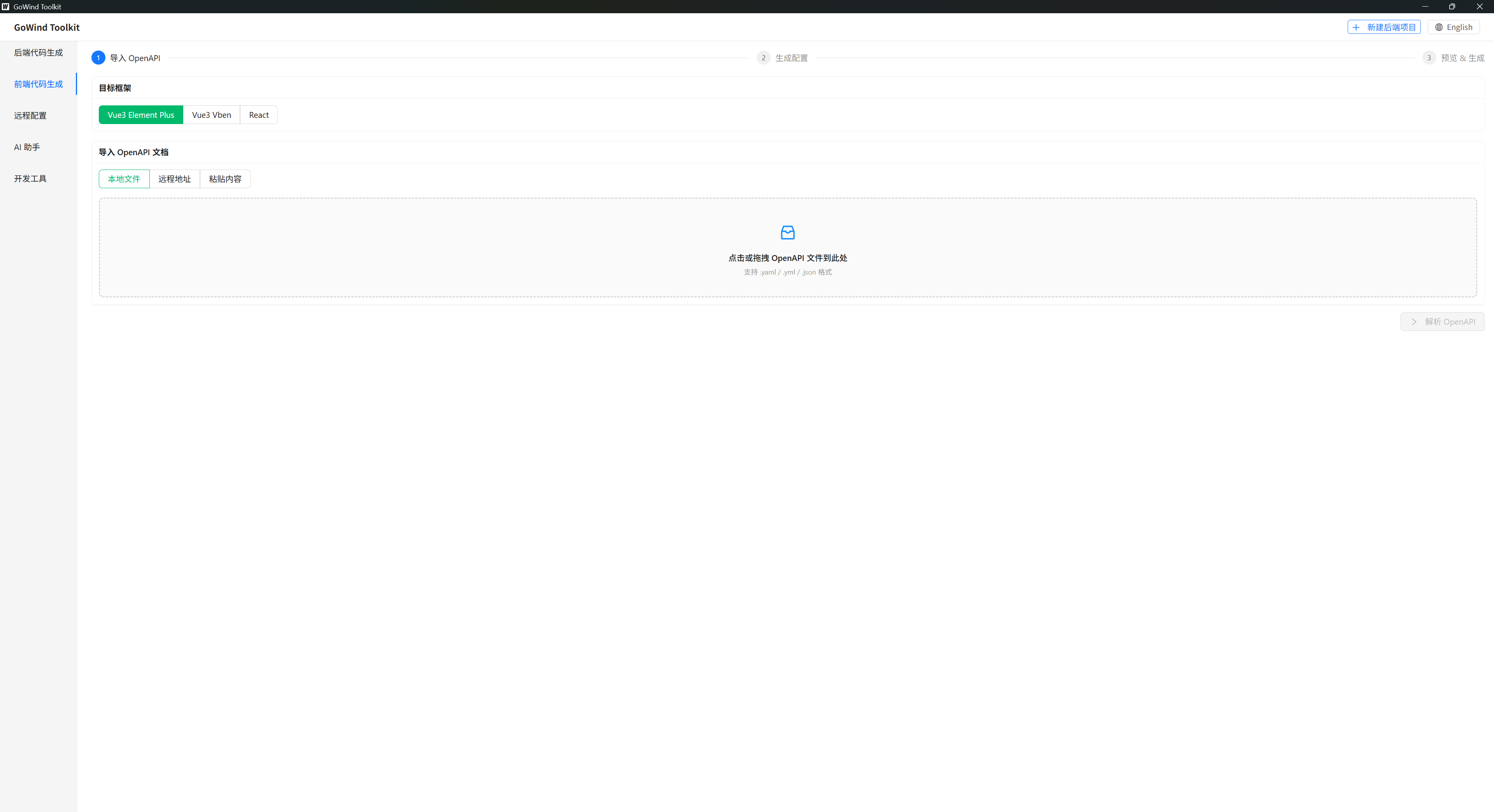
Open the client and click [Frontend Code Generation] in the left sidebar to enter the panel.
Load the OpenAPI Data Source
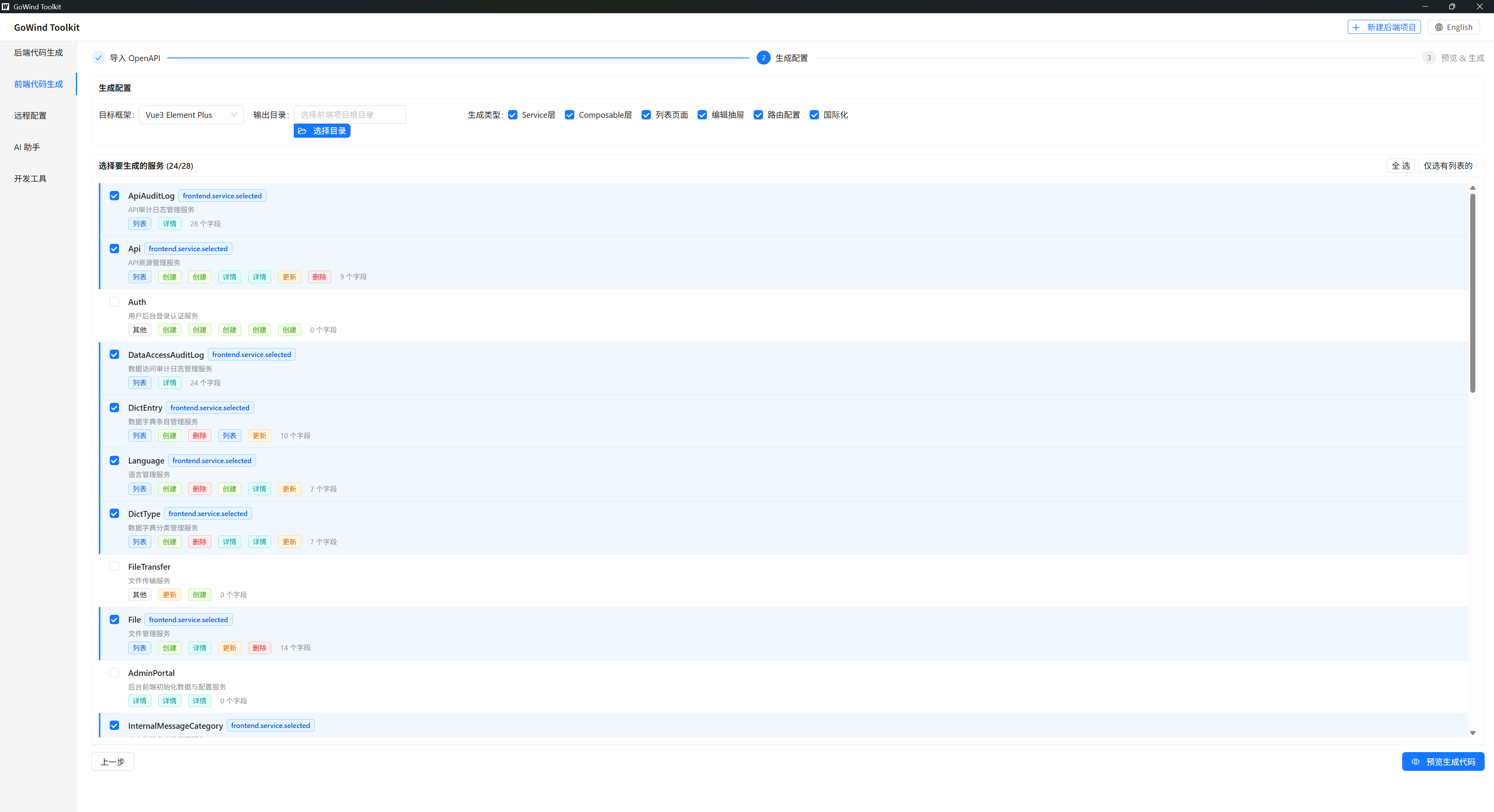
- In the OpenAPI data source area at the top of the page, click the import button
- Select the
openapi.yamlfile compiled from your backend - After a successful import, the tool automatically parses all interfaces, structs, and field attributes
Warning
The tool does not support connecting directly to a database to generate frontend code — all pages depend entirely on OpenAPI metadata.
Choose the Frontend Template
In the template dropdown, pick the one that matches your team's stack: Vue3 Element Plus / Vue3 Vben Admin / React Ant Design.
Fill In the Project Info
Only the output directory is required — the folder where the frontend project will be saved. Paths must not contain Chinese characters, spaces, or special symbols.
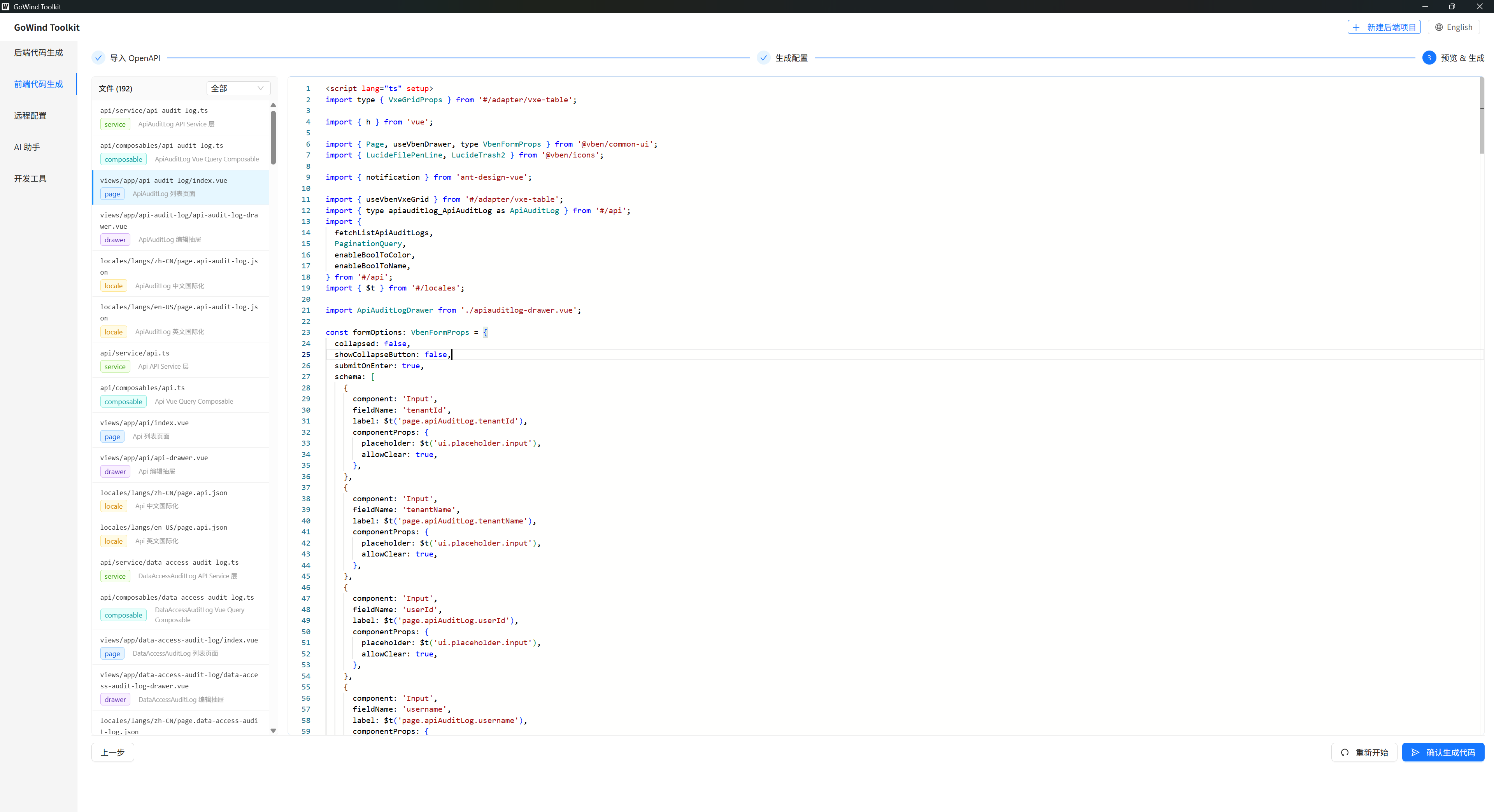
Preview the Generated Code
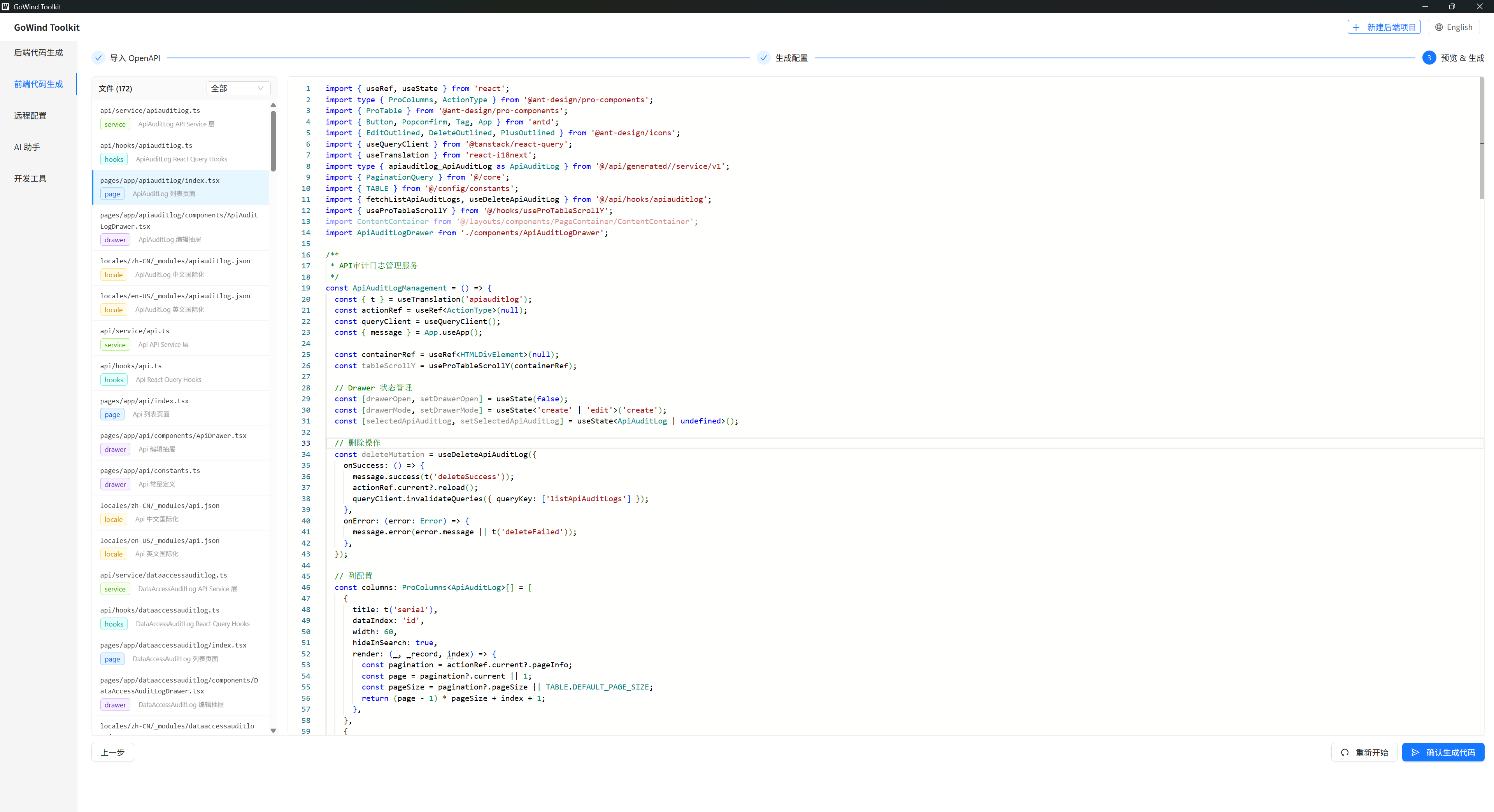
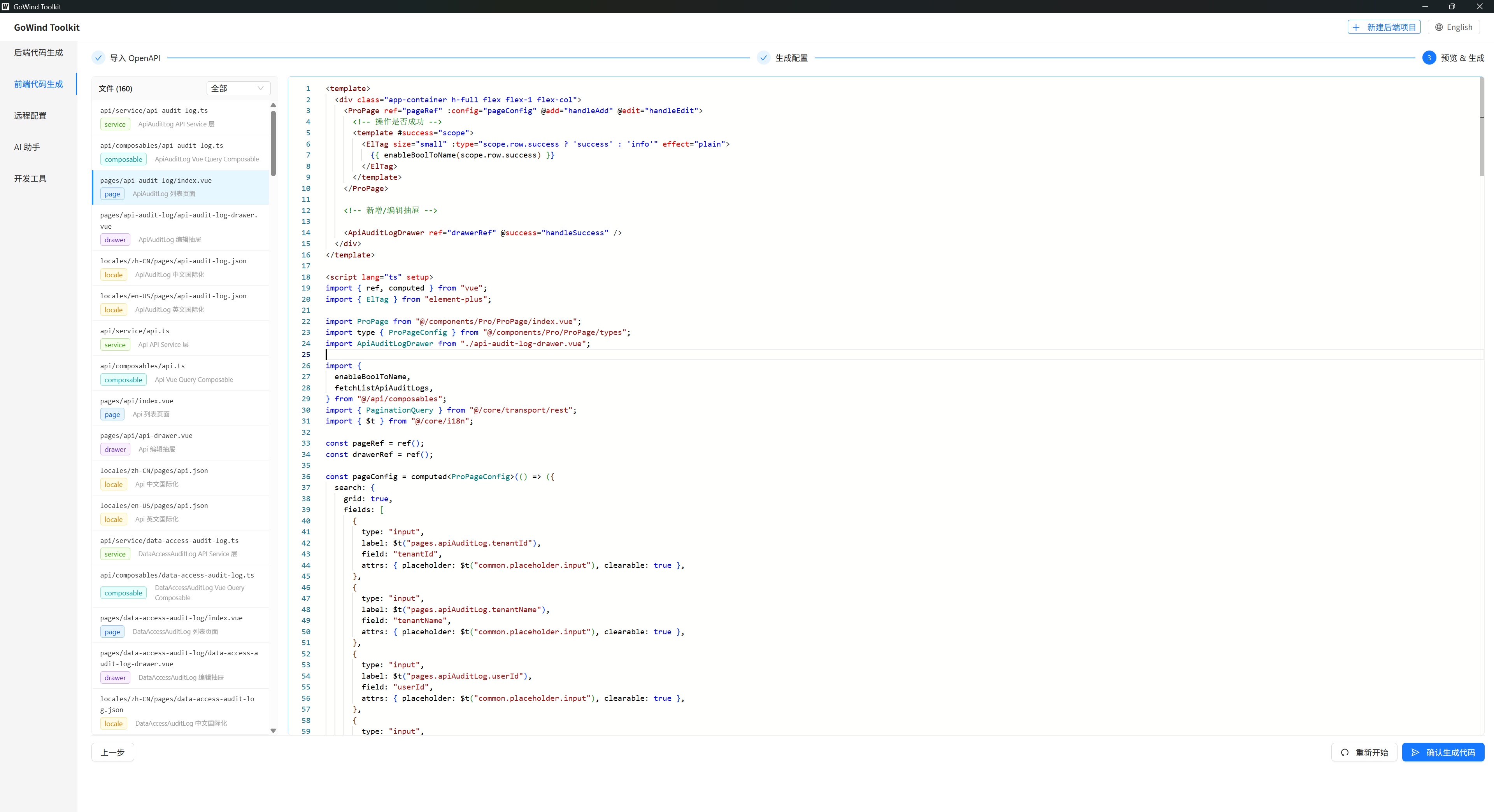
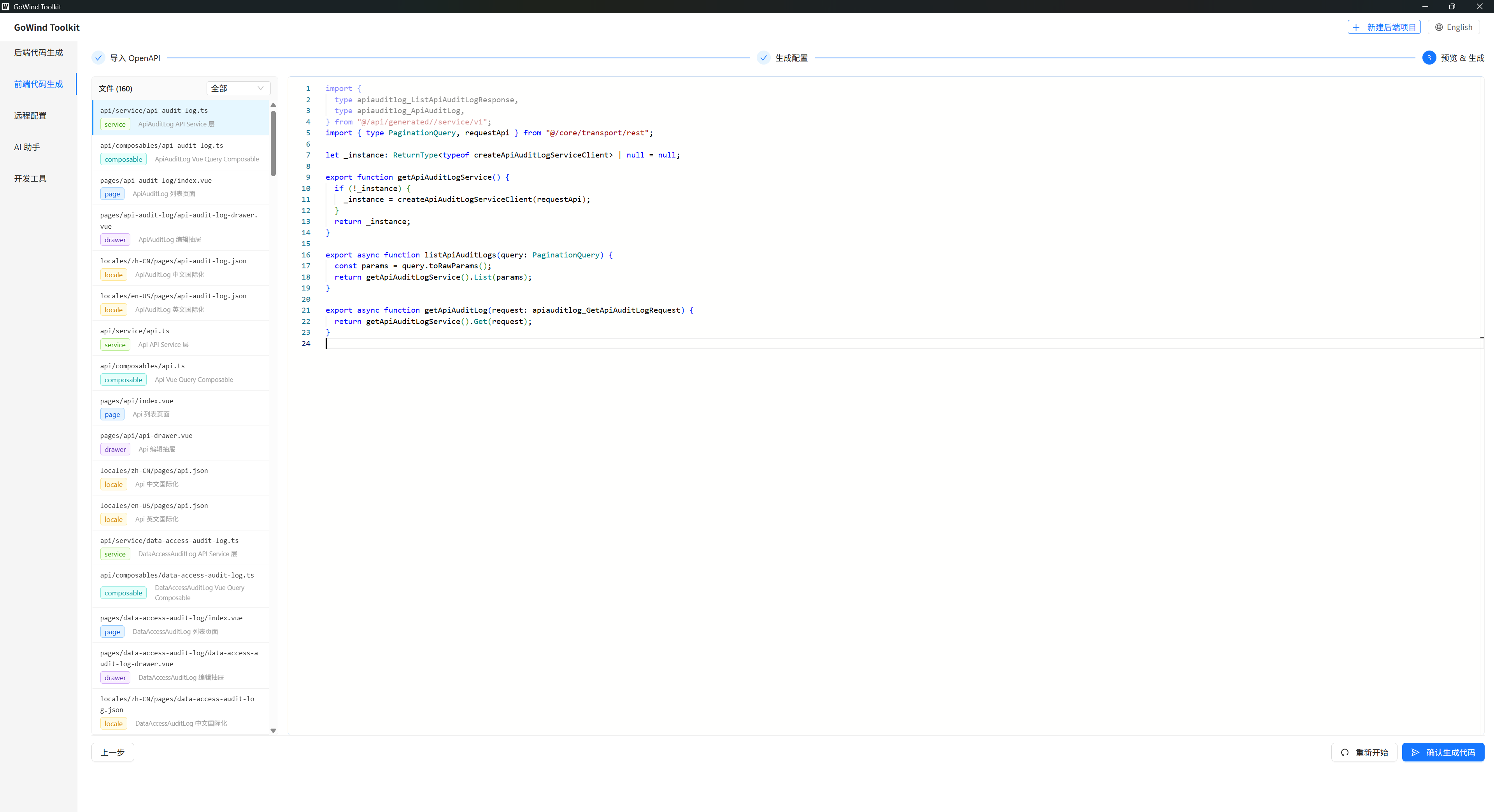
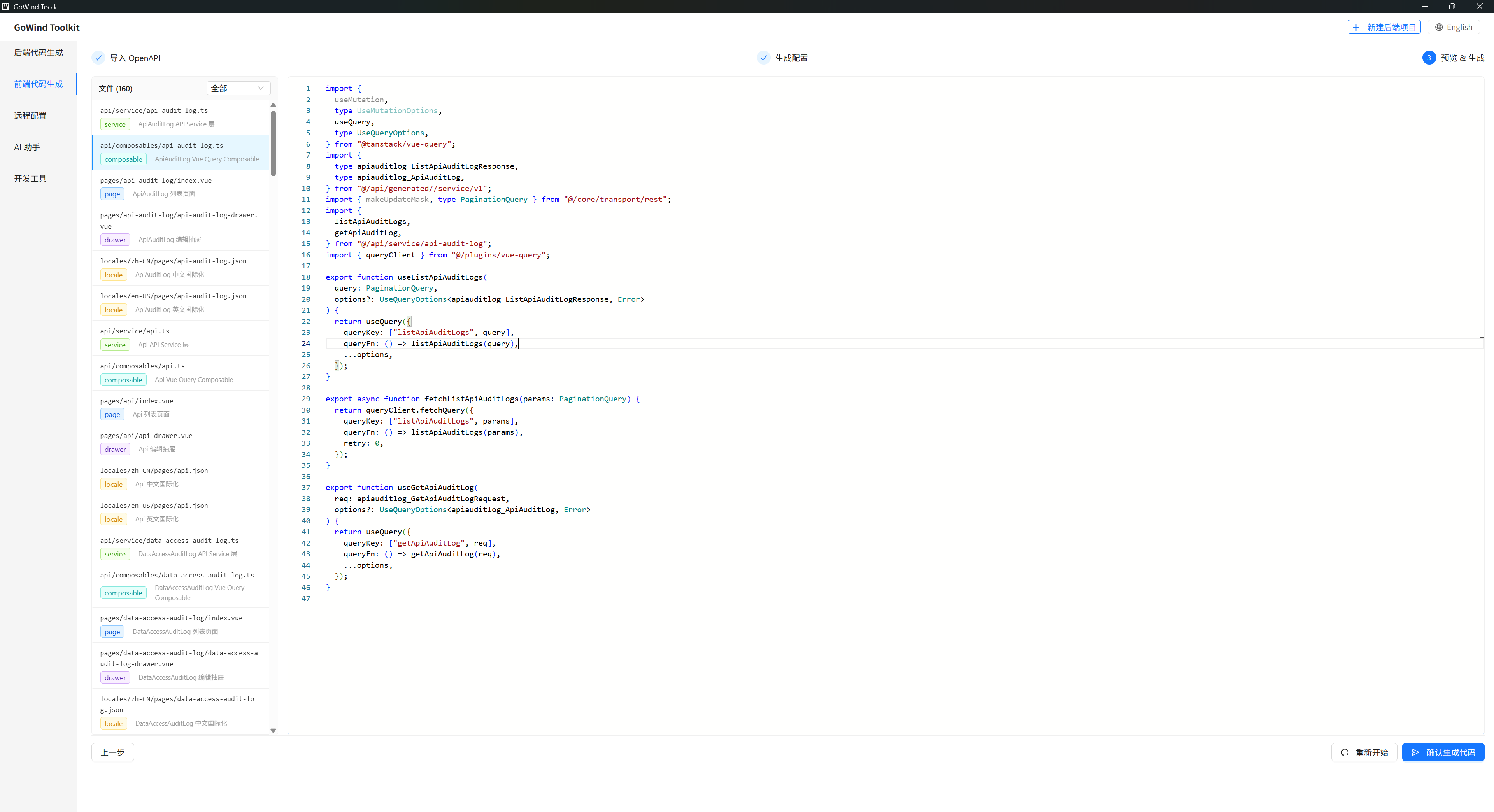
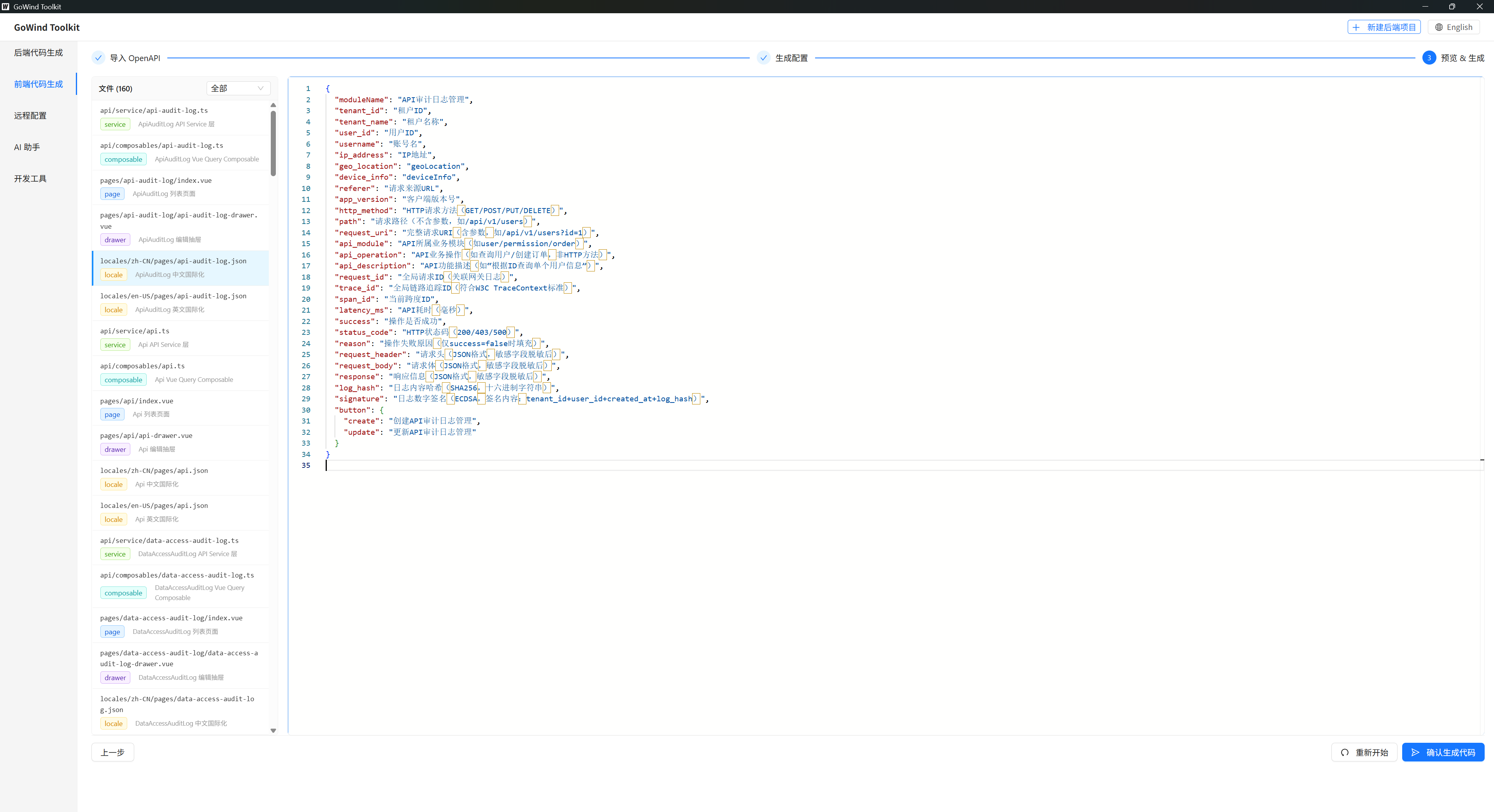
The tool can preview every code file it is about to generate:
React + Ant Design pages:
Vue3 + Element Plus pages:
Vue3 + Vben Admin pages:
API layer:
Query Hooks:
i18n:
Generate the Code in One Click
Once the template and output directory are confirmed, click [Generate Code]. After about 2 seconds, a complete frontend project is generated automatically.
The output includes:
- Route configuration and sidebar menus
- The API request layer
- A full set of CRUD pages (list, search, create, edit, delete, export)
- i18n files
Run the Frontend Project
Enter the root of the generated frontend project and run:
# Install dependencies
pnpm install
Then start it according to the template you chose:
# React version
cd frontend/admin/react
pnpm dev

# Vue3 Element Plus version
cd frontend/admin/vue-element
pnpm dev

# Vue3 Vben Admin version
cd frontend/admin/vue-vben
pnpm dev:antd
Once the project is running, all pages, menus, search filters, modal forms, and create/delete/export features work out of the box, with API calls wired automatically to the backend BFF service.
Troubleshooting
| Problem | Solution |
|---|---|
| OpenAPI import fails | Check whether the yaml file is corrupted; confirm the backend Protobuf compiled successfully |
| Page fields need adjusting | Change the Protobuf on the backend and regenerate the OpenAPI file |
| Code generation fails | Switch to a pure-English output path |
| API returns 404 | Update the frontend environment config to point at the backend BFF service address |
| Dependency installation fails | Switch to a mirror registry, clear the npm cache, and reinstall |
Related documents: